PDF Toolbox
Every PDF tool, right here on your Mac
One-time purchase · macOS 14 or later
Black Friday Or get it with 8 more apps for $69- Price
- $29 and up
- Category
- Productivity
- Requires
- macOS 14 or later
- Licenses
- 4 options One key, up to 20 Macs
- Developer
- Snugbits indie
Organize
Optimize
Convert to PDF
Convert from PDF
Edit
Security
Type what you want to do, the way you’d say it. Or press a file type to pretend you dropped one.
PDF Toolbox puts every PDF tool you’d look for online into one native Mac app. Compress, merge, split, convert, sign, protect, redact: 35 tools in six groups, each one a single screen with a big button. Type what you want to do, like “shrink” or “password”, and the right tool is first.
Everything runs on your Mac. Nothing is uploaded, there are no file-size or daily limits, and your originals are never changed: results are saved next to them, or anywhere you choose. If you ask it to replace the original, the original goes to the Trash, so you can always get it back.
It’s built for anyone who opens a browser tab every time a PDF needs fixing: too big to email, pages in the wrong order, a scan you can’t search, a contract to sign. One price, paid once, no subscription and no account.
Online tools and PDF Toolbox
No upload, no wait, no download
Sites like iLovePDF and Smallpdf are handy, but every job means sending your file to their servers and fetching the result back. PDF Toolbox does the same jobs where the file already is. Set your own file size and upload speed and see the difference.
An online PDF site
- Choose the file
- Upload it about 16 s
- Wait on their server
- Download the result
- Find it in Downloads
Your file sits on someone else’s computer for a while.
PDF Toolbox
- Drop the file 0 s of upload
- Done, next to the original
Your file never leaves your Mac. Nothing to delete afterwards.
iLovePDF, Smallpdf, Adobe Acrobat and PDF Expert are trademarks of their respective owners. PDF Toolbox isn’t affiliated with or endorsed by any of them; the names are used only to compare. Prices as listed on their sites in November 2026.
Compress
Smaller files, with the size before you press the button
Pick Smallest, Balanced or Best quality and PDF Toolbox estimates the new size while you choose. Fine-tune the image resolution if you like. Text stays sharp, because only pictures are scaled down.
- Smallest for email and uploads, Best quality for print
- Optionally convert to grayscale and remove metadata
- Compress many PDFs in one go
Compression
81% smaller
An example 12-page report. The app estimates your own file the same way, before you press Compress.
Merge and organize
Put files together in the right order
Drop PDFs and images, drag them into order, and merge. Each file can get its own bookmark. Organize pages, Split, Rotate, Extract, Crop and Resize pages are one click away from the result.
- Images become pages
- Alternate & mix interleaves front and back scans
- Resize pages from A4 to Letter, or the other way
Order4 files · 20 pages
- 1
- 2
- 3
- 4
Merged20 pages
- Q3 Reportp. 1
- Invoice 2026-114p. 13
- Lease Agreementp. 14
- Receiptp. 20
Drag a file by its name to change the order.
Redact
Black out text for real
A black box drawn on top of a PDF hides nothing: the words are still there to copy. PDF Toolbox’s Redact removes the text under the bars, and can also strip metadata, comments and attachments that might repeat it. Try both below.
- Find and mark every email, phone number or number at once
- The rest of the page stays searchable
- Remove hidden data on its own, too
Northwind Bank
Dear Sam Rivera, your account 4417 1234 5678 9113 is now active. Questions? Write to sam@northwind.co or call +1 415 555 0142. Your monthly limit is $2,500.
Mark the account number and the email, then try both endings.
Finder Quick Actions
Right-click, done
The everyday jobs don’t even need the app open. Select files in Finder, right-click, and choose a Quick Action. The result appears in the same folder.
- Compress PDF, Merge PDFs, Make PDF Searchable
- Convert to PDF, Protect PDF, Remove Hidden Data
- Or drop files on the window or the Dock icon
Right-click a file. ⌘-click two PDFs first to try Merge PDFs.
Office files
Word, PowerPoint and Excel to PDF, without Office
Conversions use LibreOffice’s free converter. PDF Toolbox downloads it once, the first time you need it (about 300 MB), and from then on it runs on your Mac with no network. Hidden slides and sheets stay out unless you ask for them.
- DOCX, DOC and Pages; PPTX, PPT and Keynote; XLSX, XLS, CSV and Numbers
- Speaker notes pages for slides, if you want them
- Fit each sheet on one page, or print it the way Excel would
The app
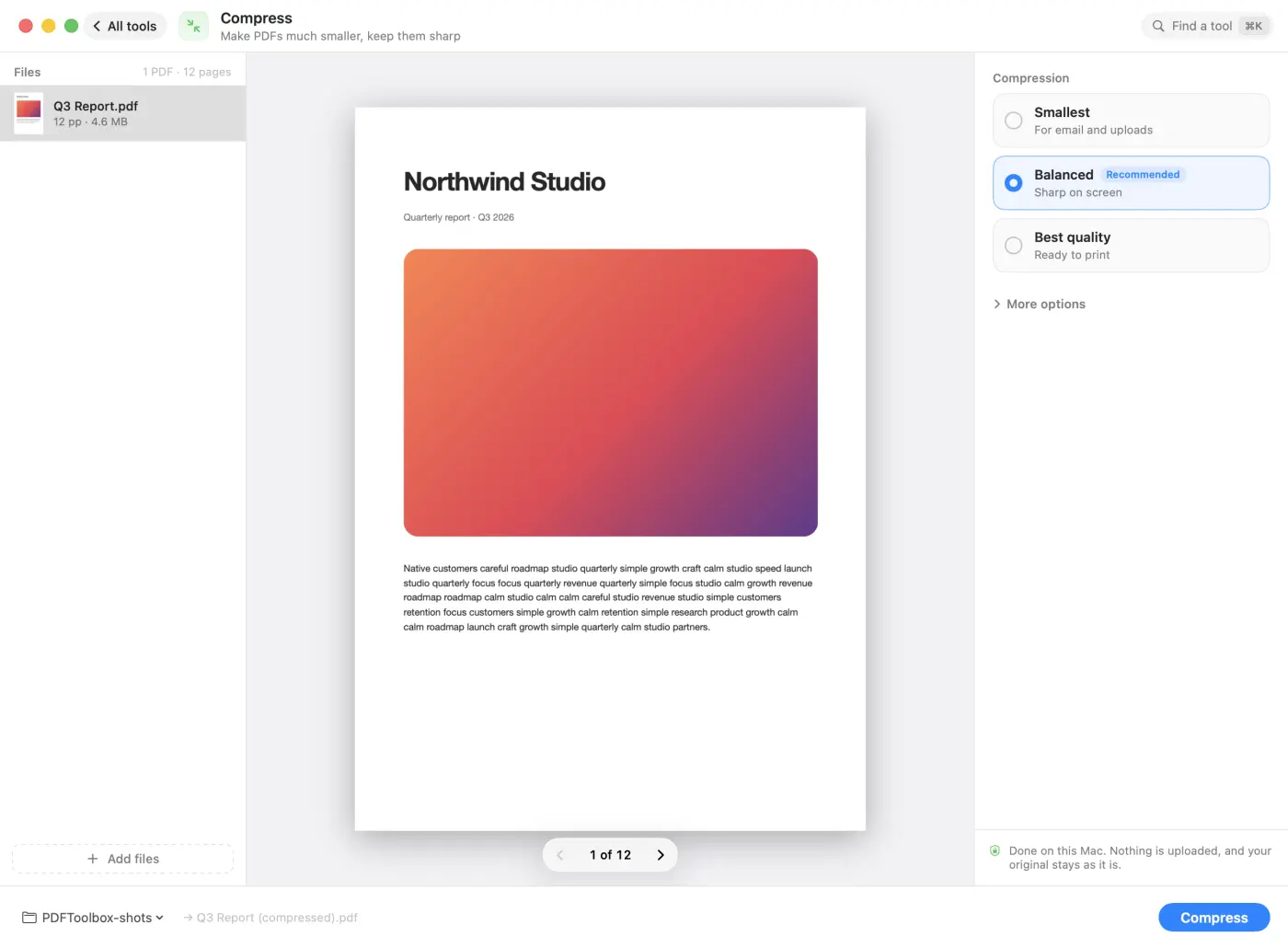
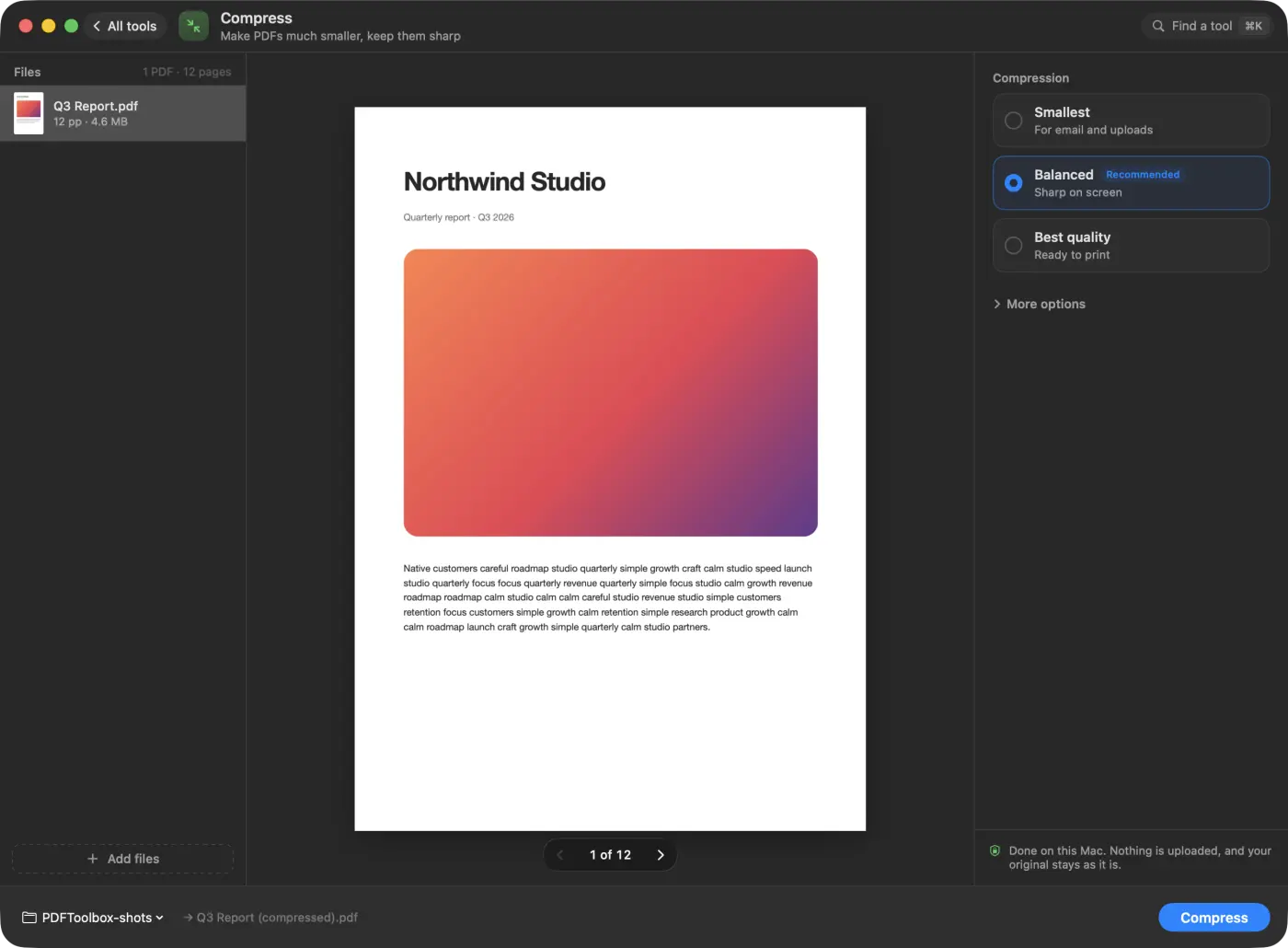
A real Mac app, light and dark
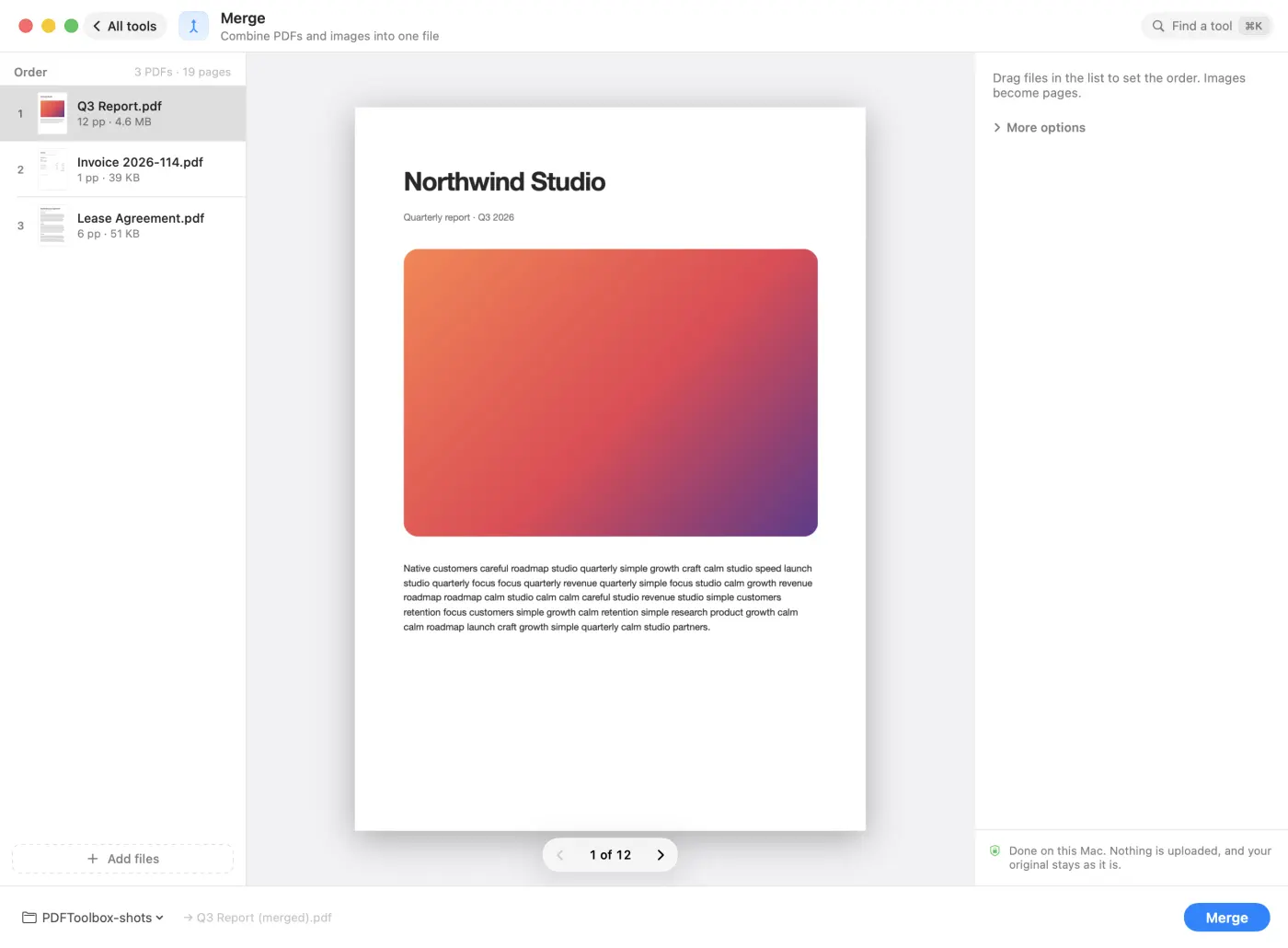
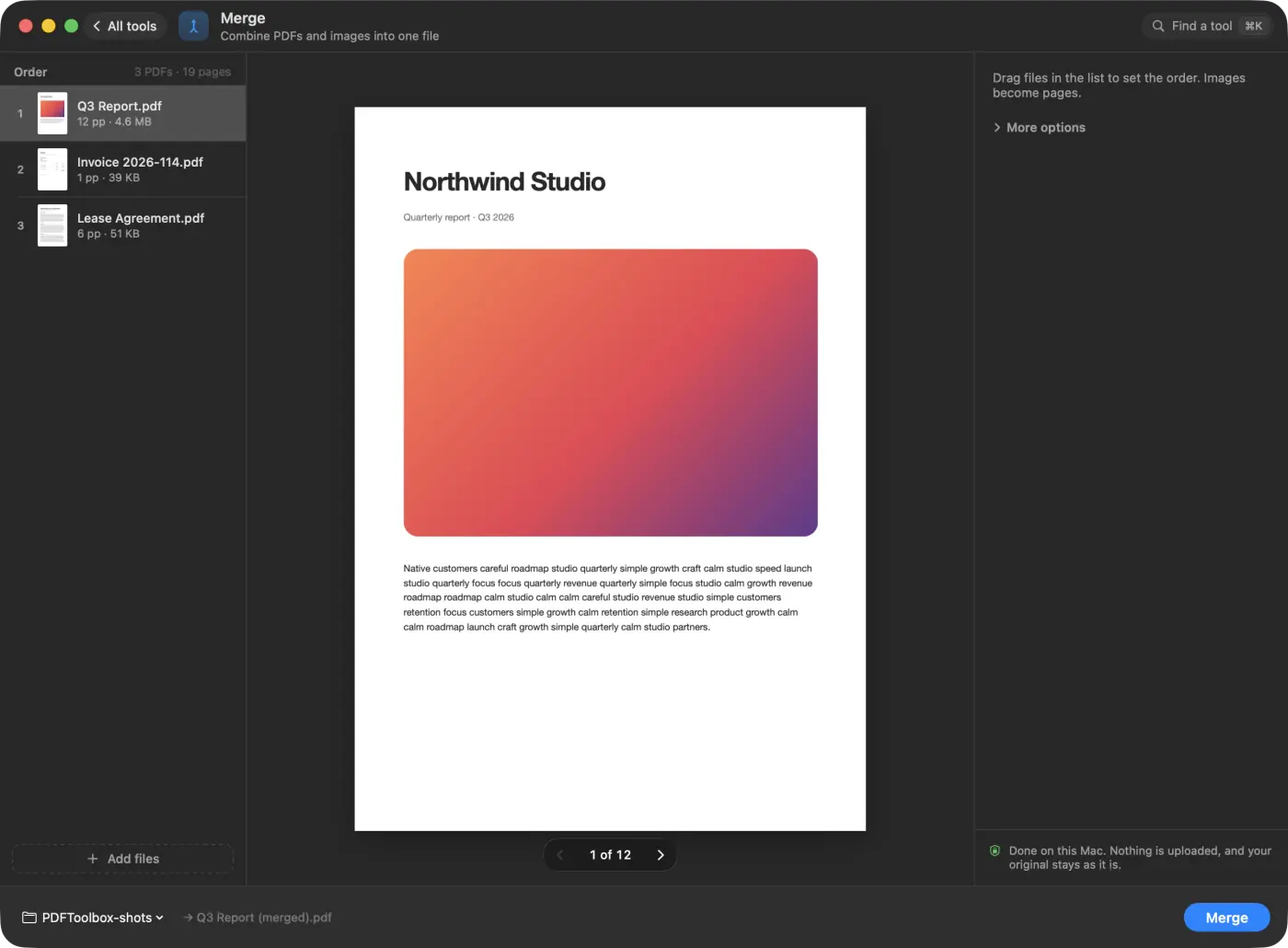
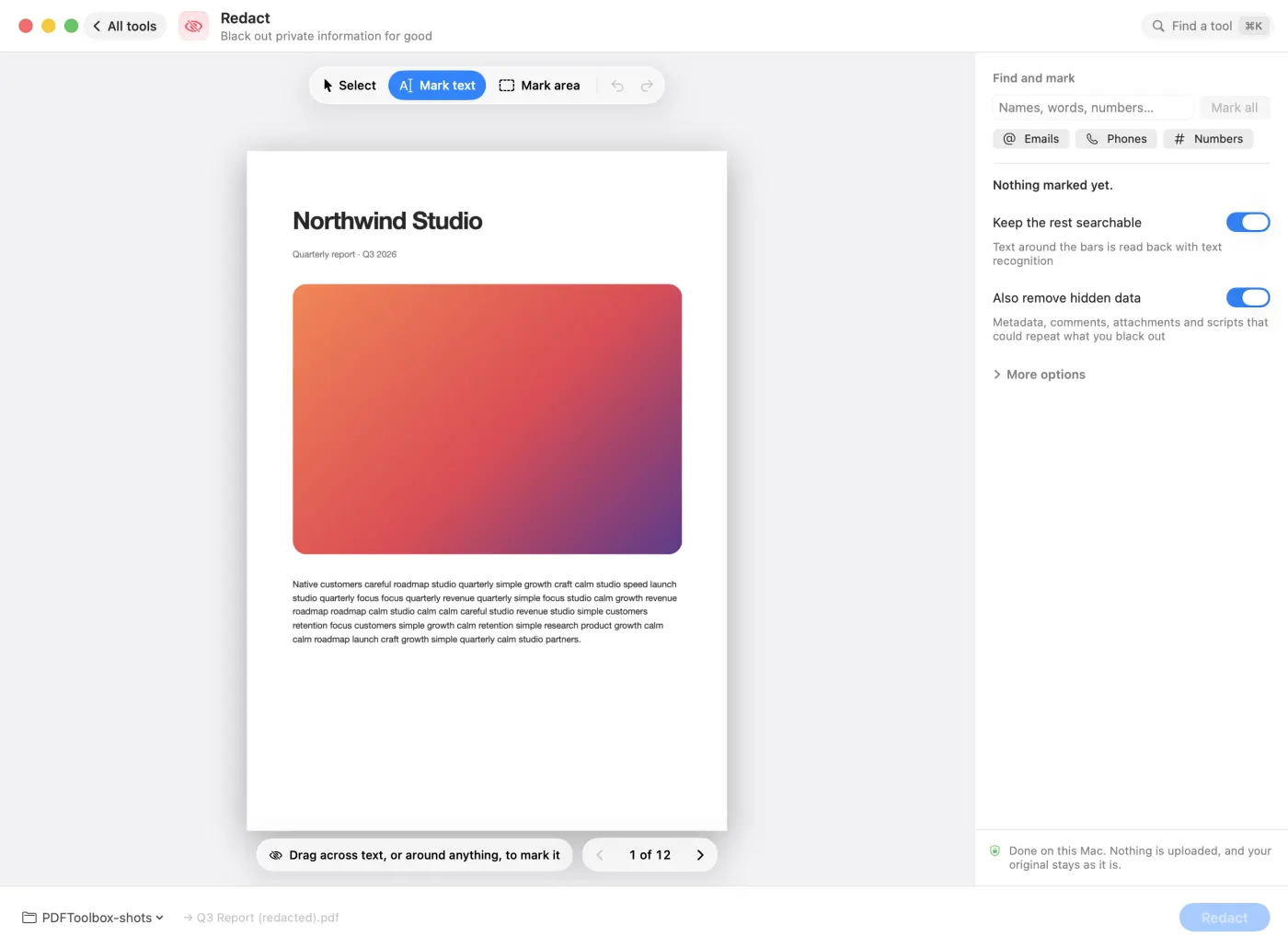
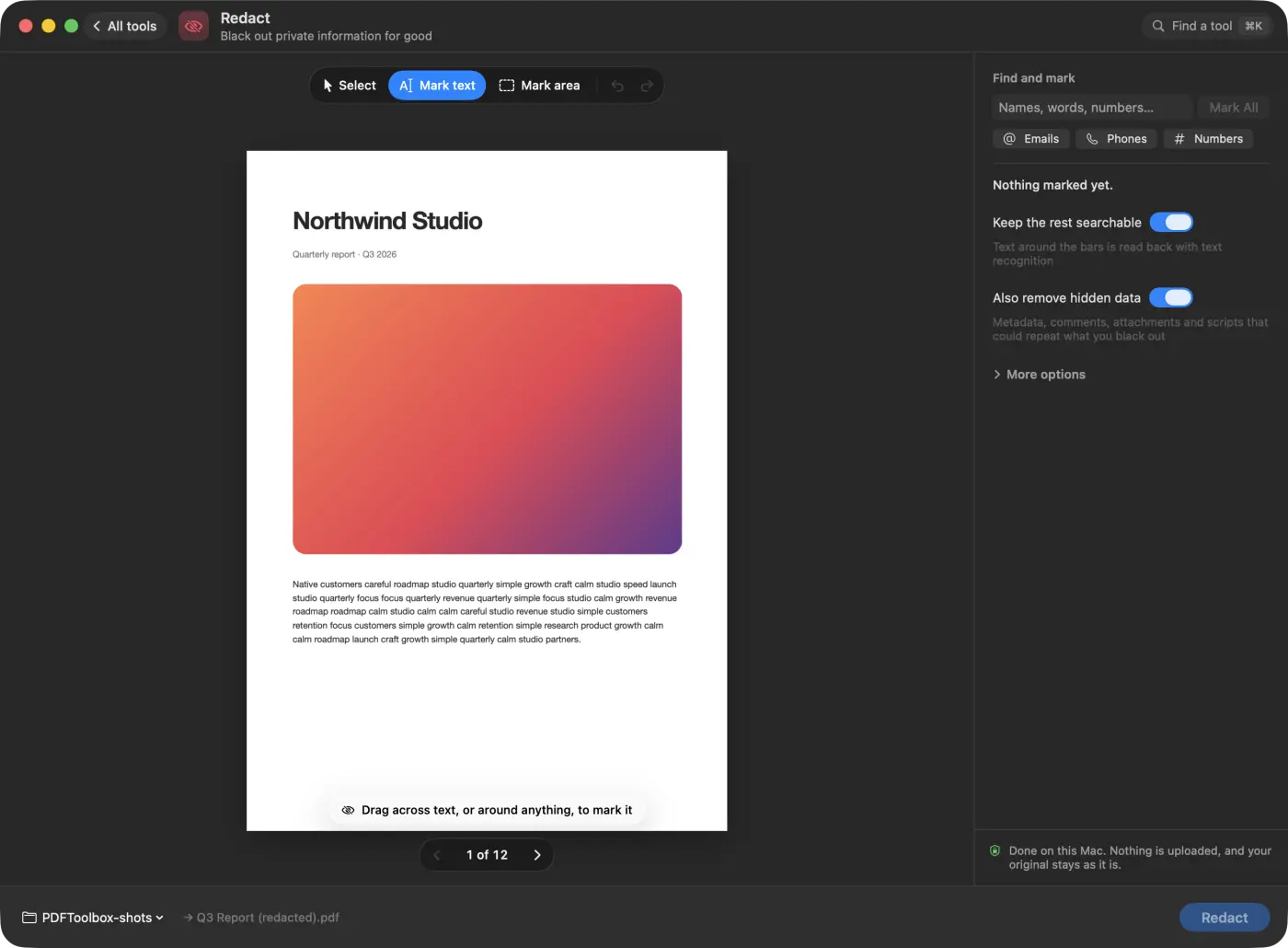
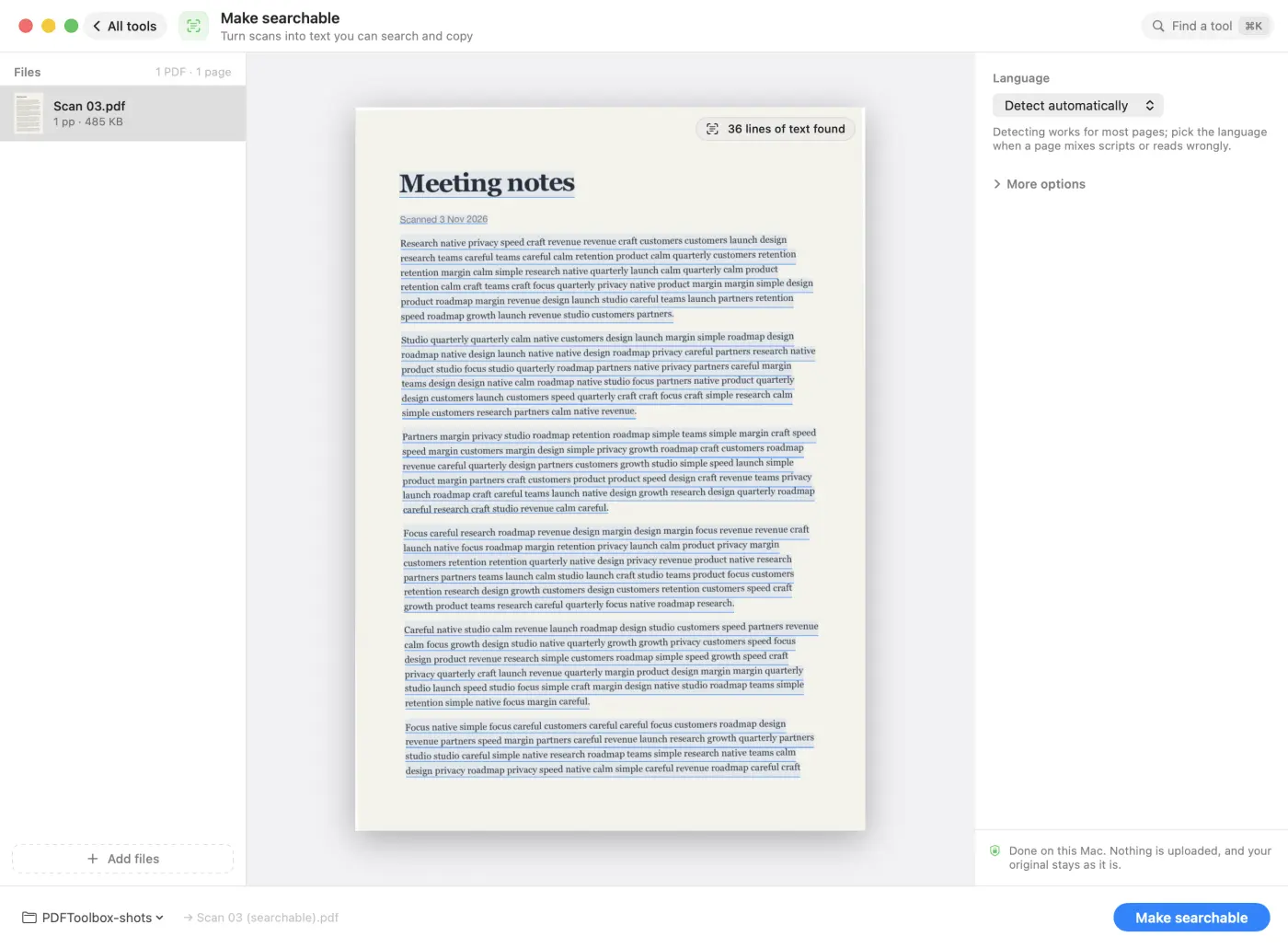
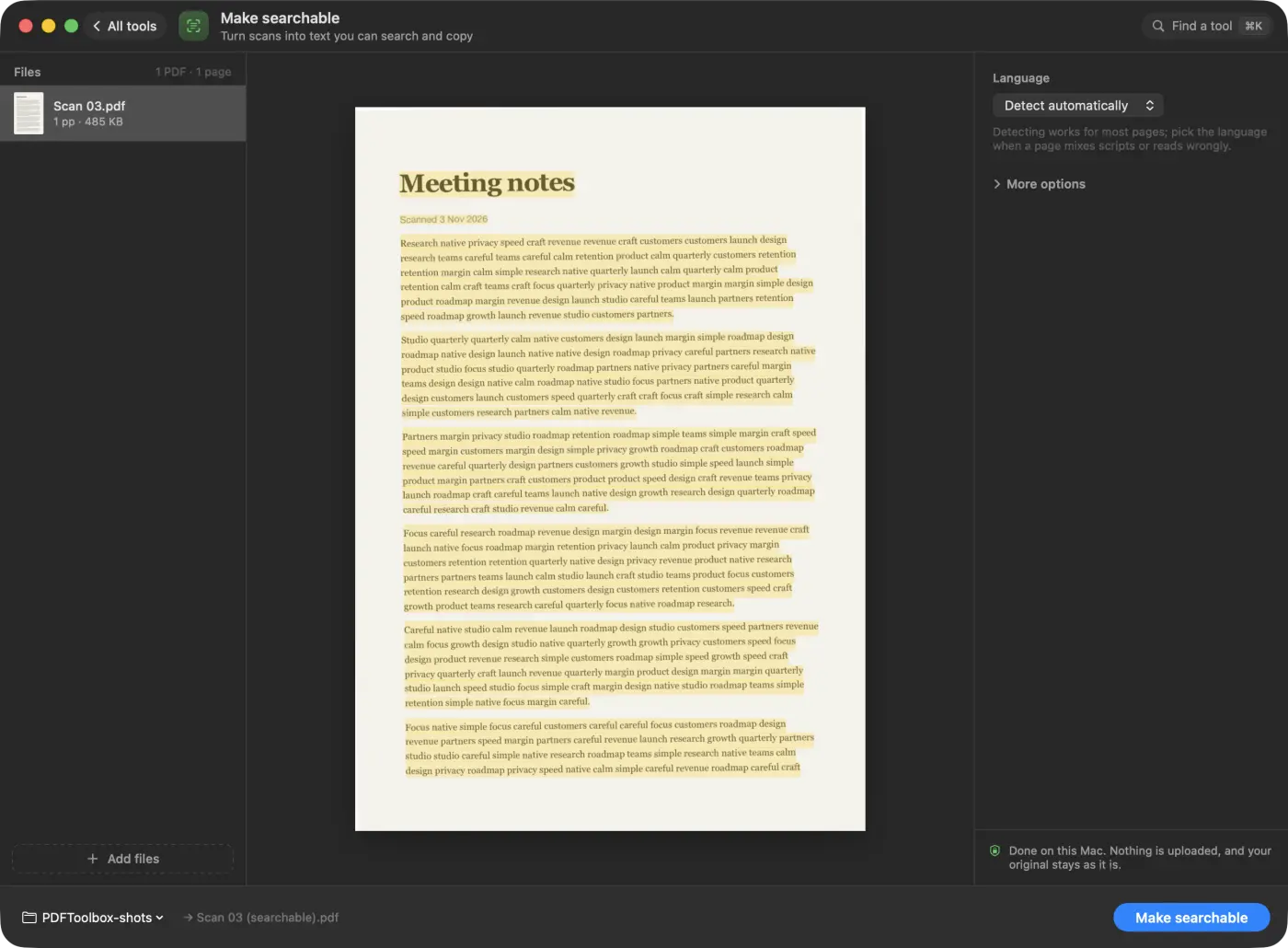
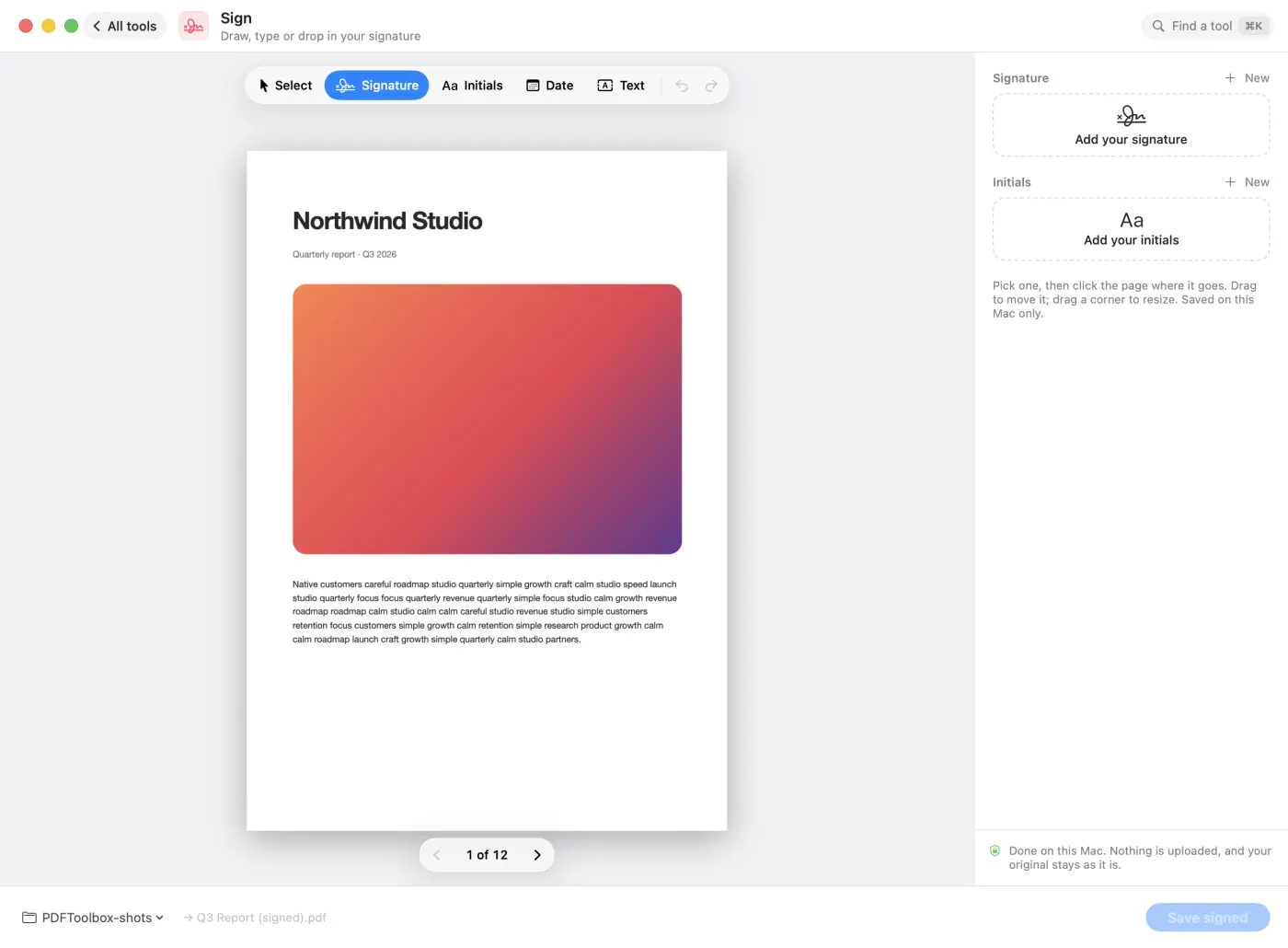
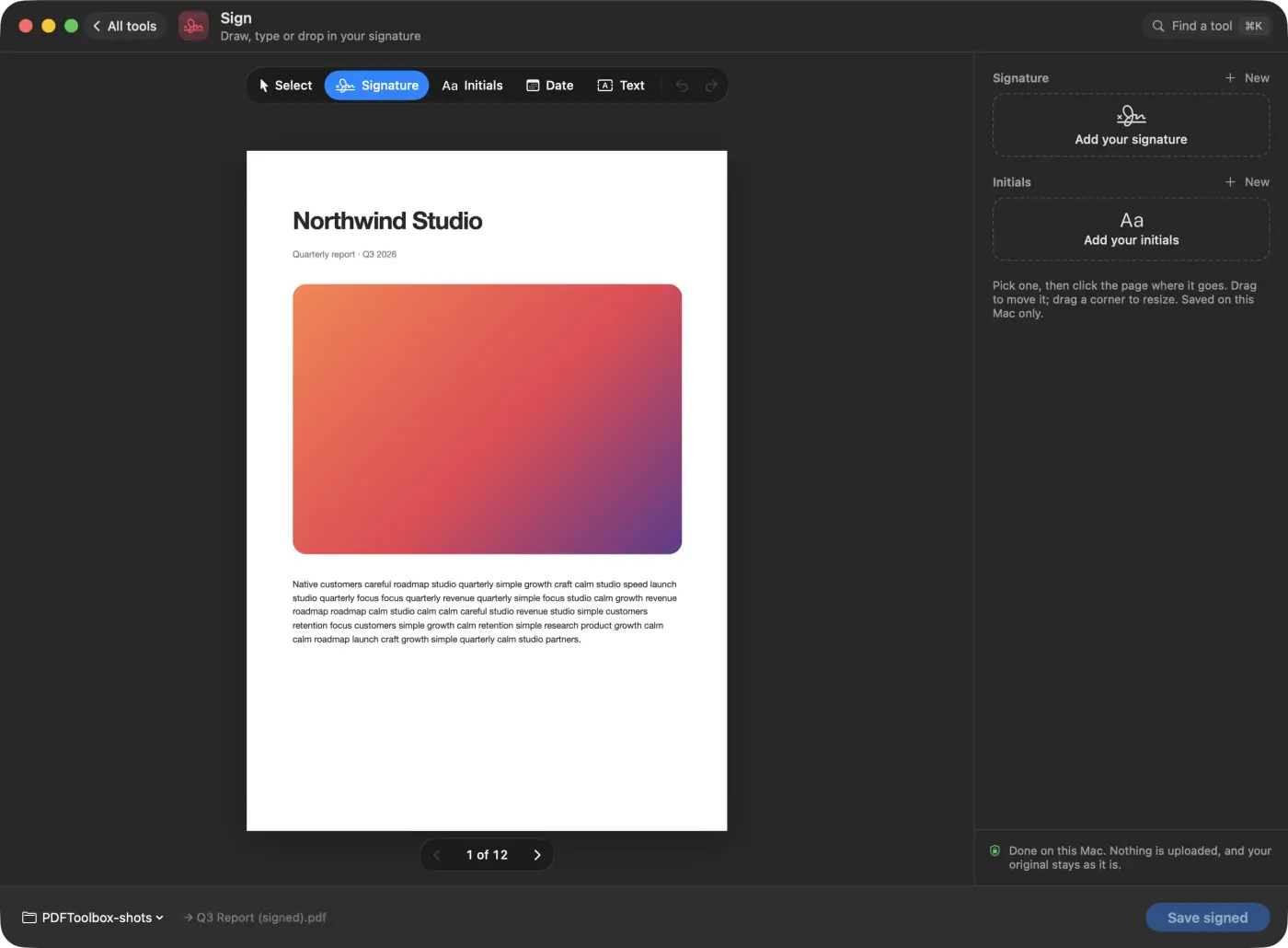
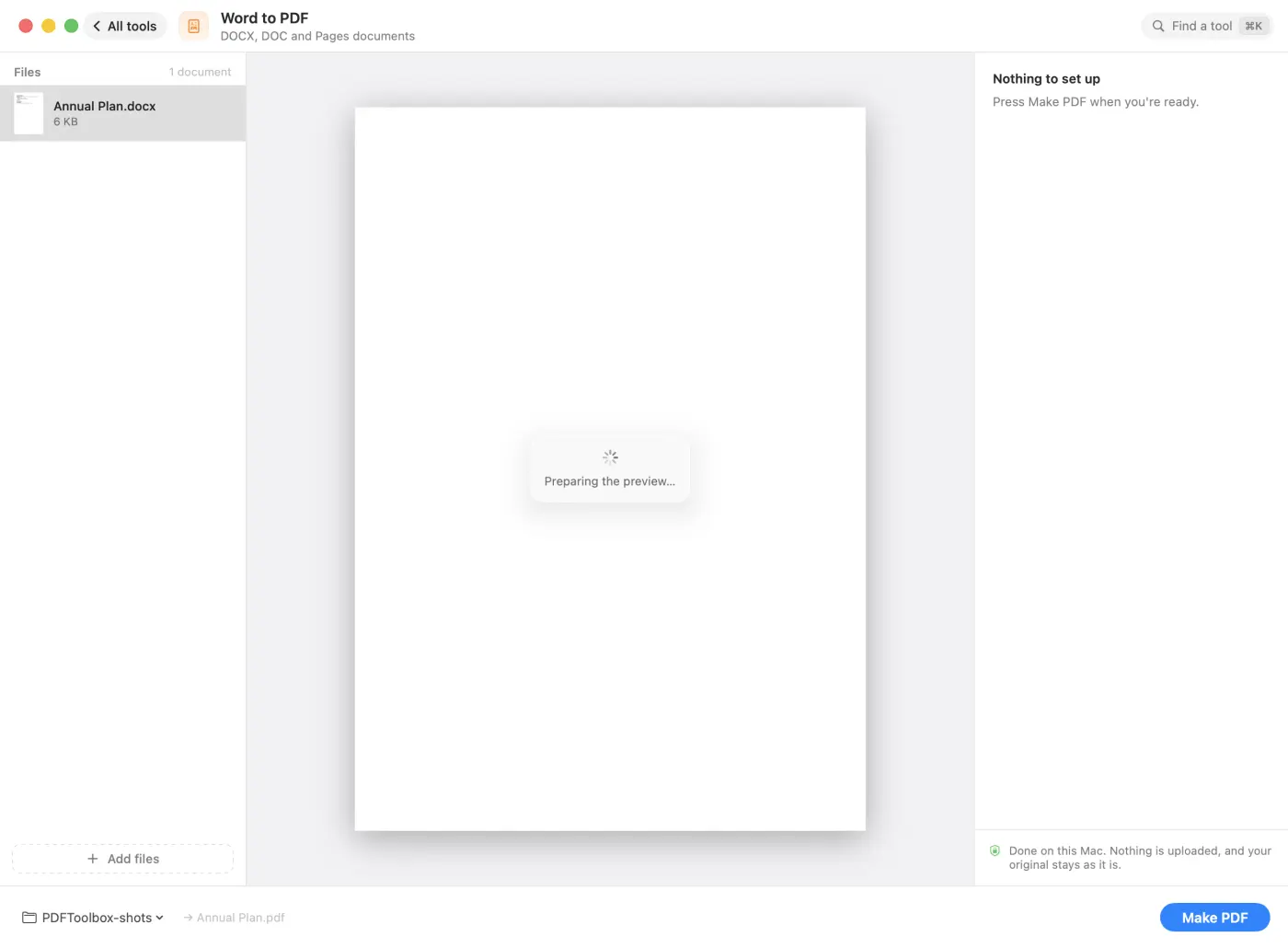
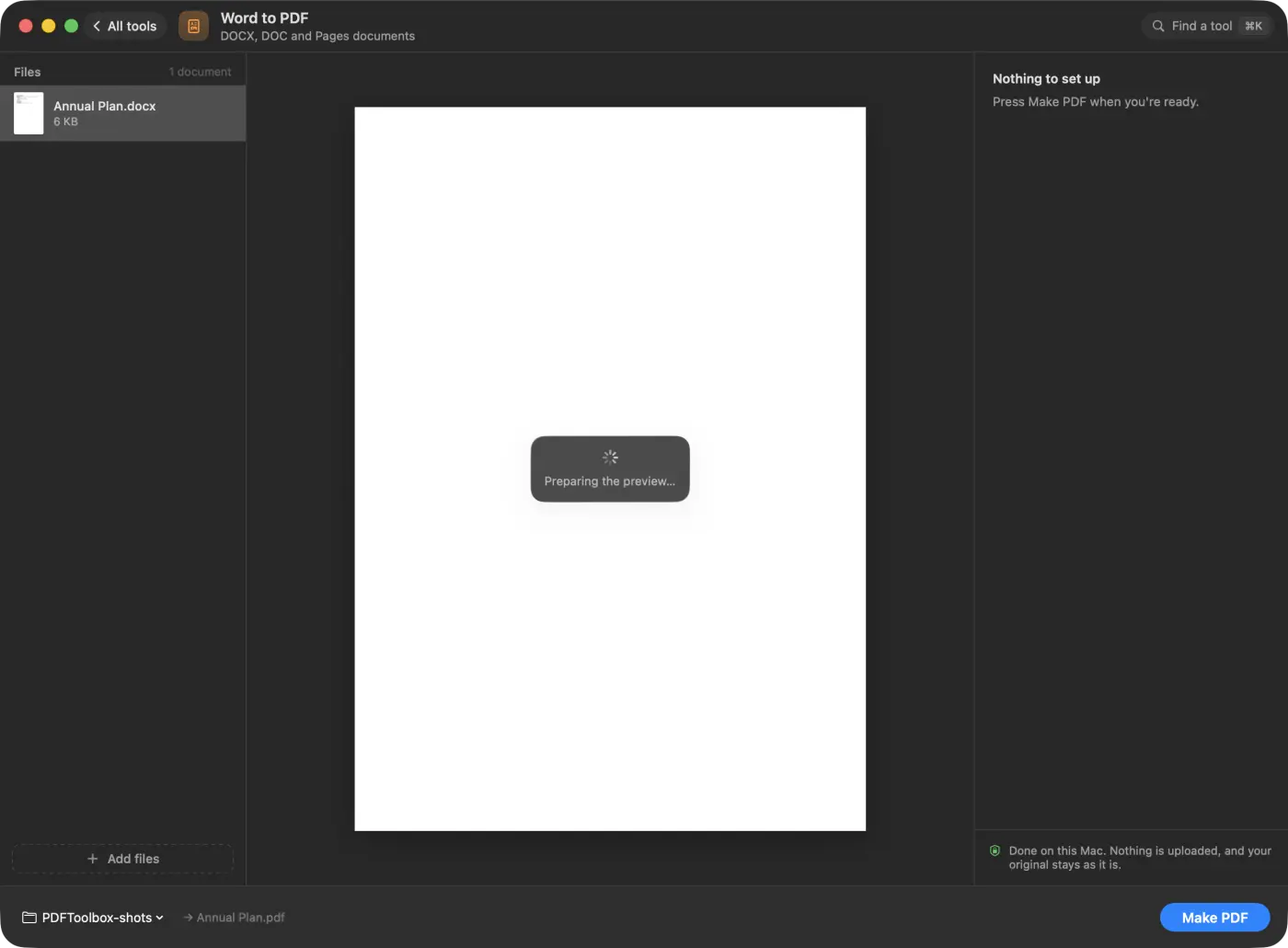
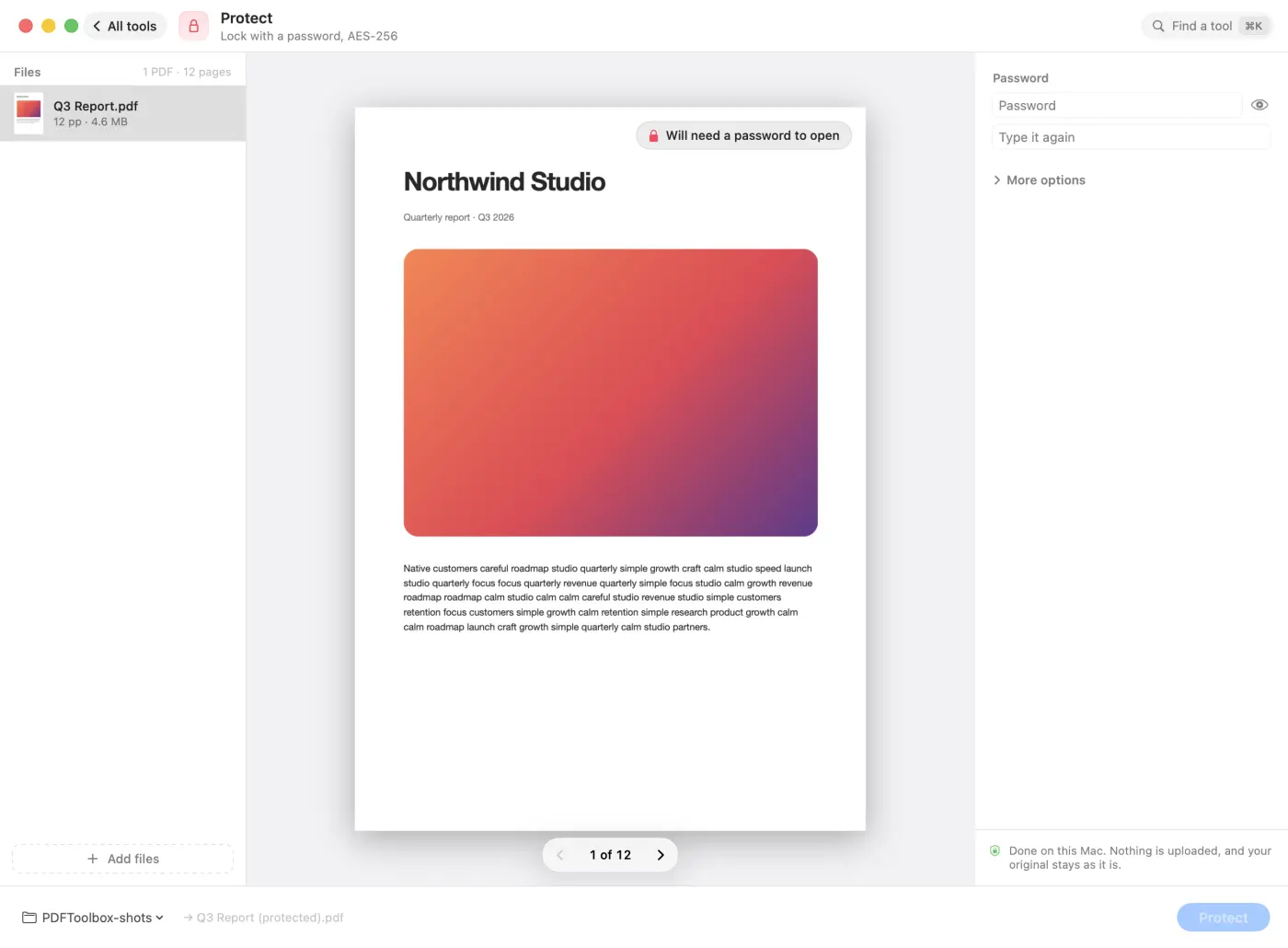
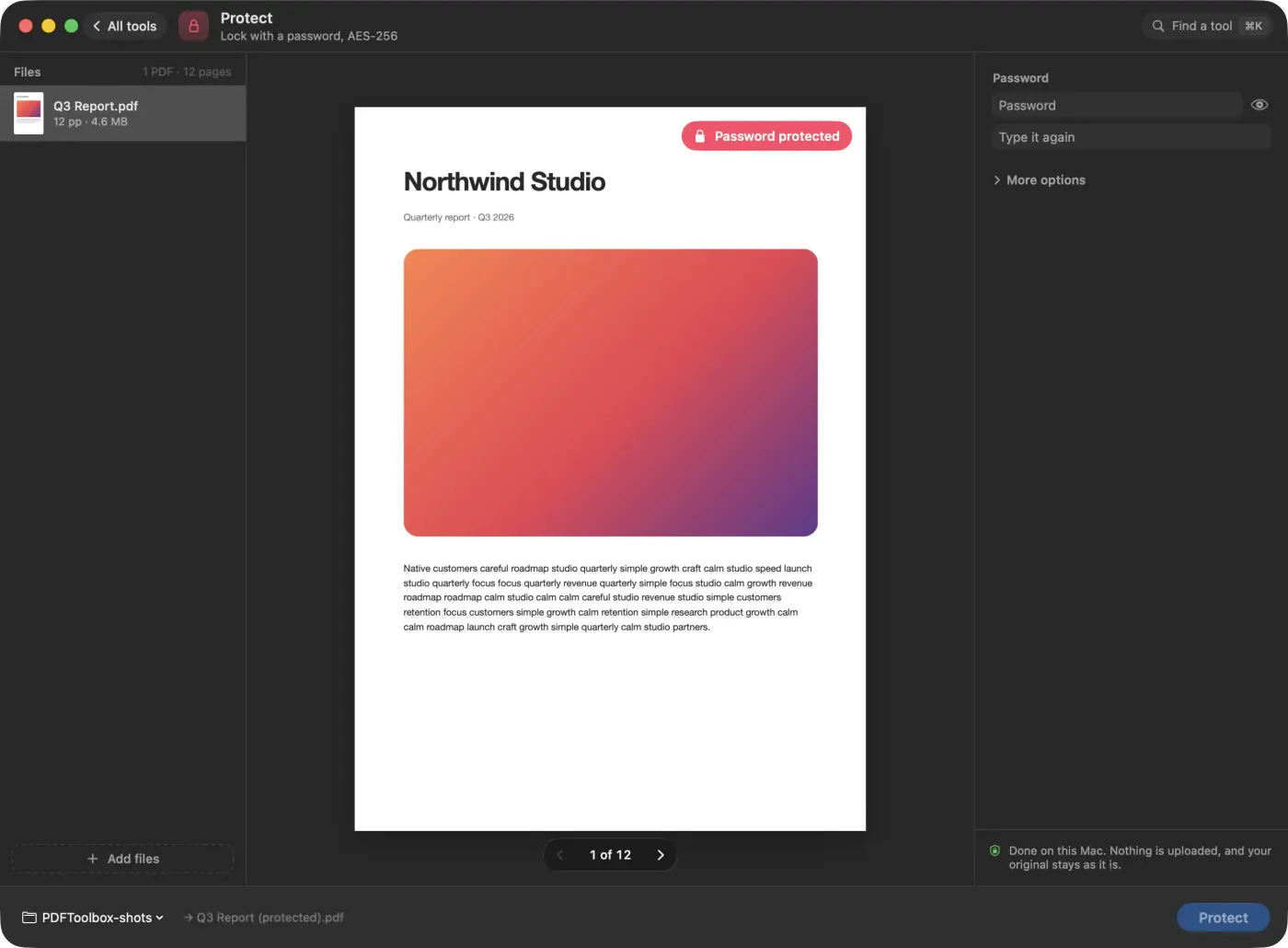
Each tool is one calm screen: your files on the left, a live preview in the middle, a few options on the right and one button. These are real screenshots.
Built to be trusted
A broken PDF can’t take the app down
The engine runs in separate processes, so a damaged or hostile PDF can’t crash PDF Toolbox, and Cancel always works. ⌘Z undoes the last result: new files go to the Trash and a replaced original comes back.
Features
Find a tool by intent
Press ⌘K and type what you want: “shrink”, “jpg”, “password”, “double sided”. The right tool comes first.
Next
Chain a result straight into another tool: merge, then compress, then protect, without hunting for the file.
Make scans searchable
Text recognition on your Mac turns scans into text you can search and copy, in 25 languages, or it detects the language for you.
Scan with your iPhone
Continuity Camera scans paper straight into a PDF, straightened and searchable.
Protect and unlock
Lock a PDF with an AES-256 password, or remove a password you know.
Sign and fill forms
Draw, type or drop in your signature. Fill in PDF forms and flatten them so nobody can change the answers.
Header, footer and Bates
Add dates, titles, page numbers and Bates numbers with your own prefix.
Convert both ways
Images, web pages, text and Markdown to PDF. Pages to JPG, PNG or HEIC, every picture out, or the text as Markdown.
Originals stay safe
Results are saved next to the original. ⌘Z undoes the last one. Nothing is ever uploaded.
Choose your license
Pay once. No subscription, no account.
1 Mac
One key for 1 Mac
$29
one-time purchase
- All 35 tools, nothing held back
- Free updates
- Move it to a new Mac any time
3 Macs
One key, up to 3 Macs
$69
one-time purchase
- All 35 tools, nothing held back
- Free updates
- Move it to a new Mac any time
5 Macs
One key, up to 5 Macs
$99
one-time purchase
- All 35 tools, nothing held back
- Free updates
- Move it to a new Mac any time
20 Macs
One key, up to 20 Macs
$349
one-time purchase
For teams.
- All 35 tools, nothing held back
- Free updates
- Move it to a new Mac any time
Checkout is handled by Dodo Payments, the merchant of record. Your license key appears right after checkout and arrives by email.
Questions
Privacy
Does PDF Toolbox upload my files?
No. Every tool runs on your Mac and nothing is uploaded. The only download is LibreOffice’s free converter, fetched once the first time you convert a Word, PowerPoint or Excel file; after that, conversions run with no network.
Does it change my original PDF?
No. Results are saved next to the original, or anywhere you choose. If you turn on “replace the original”, the original is moved to the Trash, and ⌘Z brings it back.
Is the redaction real?
Yes. Redact removes the text under the bars from the page, so it can’t be copied or searched for. It can also remove metadata, comments, attachments and scripts that might repeat what you blacked out. The rest of the page stays searchable.
Using PDF Toolbox
Which tools are included?
35 tools in six groups. Organize: Merge, Split, Organize pages, Rotate, Delete pages, Extract pages, Crop, Alternate & mix, Resize pages. Optimize: Compress, Make searchable, Repair, Grayscale. Convert to PDF: Images, Word, PowerPoint, Excel, Web page, Text, Scan with iPhone. Convert from PDF: PDF to images, Extract images, PDF to text. Edit: Add text & shapes, Watermark, Page numbers, Header & footer, Fill forms, Flatten, Edit metadata. Security: Protect, Unlock, Sign, Redact, Remove hidden data.
Do I need Microsoft Office to convert Word, PowerPoint or Excel files?
No. PDF Toolbox uses LibreOffice’s free converter, which it downloads once (about 300 MB) the first time you need it. It runs on your Mac with no network. Pages, Keynote and Numbers files work too.
Can I use it from Finder?
Yes. Right-click files in Finder and choose a Quick Action: Compress PDF, Merge PDFs, Make PDF Searchable, Convert to PDF, Protect PDF or Remove Hidden Data. You can also drop files on the window or on the Dock icon.
What happens if a PDF is broken?
The engine runs in separate processes, so a damaged or hostile PDF can’t crash the app, and Cancel always works. For files that won’t open properly, try the Repair tool.
Can I undo a result?
Yes. ⌘Z undoes the last result: the new file goes to the Trash, and if you replaced the original, the original comes back.
Compatibility
Which Macs does PDF Toolbox run on?
Any Mac with macOS 14 or later, on Apple silicon and Intel.
Is there an iPhone or Windows version?
No, PDF Toolbox is a Mac app. Your iPhone can help, though: Scan to PDF uses it as a document camera through Continuity Camera.
Buying and licenses
Is PDF Toolbox a subscription?
No. You pay once: $29 for 1 Mac, $69 for 3 Macs, $99 for 5 Macs or $349 for 20 Macs. Every license has all 35 tools and free updates. Checkout is handled by Dodo Payments.
Can I move my license to a new Mac?
Yes. Deactivate it on the old Mac, then activate the key on the new one. If the old Mac is gone, email support@snugbits.com from the address you bought with.
I lost my license key. Where is it?
Search your inbox, and your spam folder, for the receipt from Dodo Payments: the key is in it. Still stuck? Email support@snugbits.com from the address you bought with.
Compared with other apps
How is PDF Toolbox different from iLovePDF or Smallpdf?
They are websites: you upload a file, wait, and download the result, with limits on the free plans and a subscription for full use. PDF Toolbox does the same everyday jobs on your Mac, with no upload and no limits, for one price paid once.
How is it different from Adobe Acrobat or PDF Expert?
Those are full PDF editors: Acrobat is a subscription, and PDF Expert’s lifetime license lists at $139.99. PDF Toolbox is a toolbox for everyday jobs like compressing, merging, converting, signing and redacting, for $29 once.
Can’t Preview do this already?
Preview can merge, rotate, sign and add a password. PDF Toolbox adds the rest: compression with a size estimate, text recognition, Word, PowerPoint and Excel conversion, true redaction, Bates numbers, batch work on many files, and Finder Quick Actions.
Guides
All PDF Toolbox guides →How to Compress a PDF on Mac Without Uploading It
Your Mac can reduce a PDF's file size without any website. Here's how with Preview, ColorSync Utility, Shortcuts and Automator, and where each falls short.
How to Convert Word to PDF on Mac Without Microsoft Office
No Office? Your Mac can still turn Word, PowerPoint and Excel files into PDFs with Pages, Keynote, Numbers or TextEdit. Here's how, and what each one misses.
iLovePDF and Smallpdf Alternatives for Mac That Work Offline
iLovePDF and Smallpdf process your files on their servers. Here's what that means, what Preview can already do offline, and a local toolbox for the rest.
You might also like